
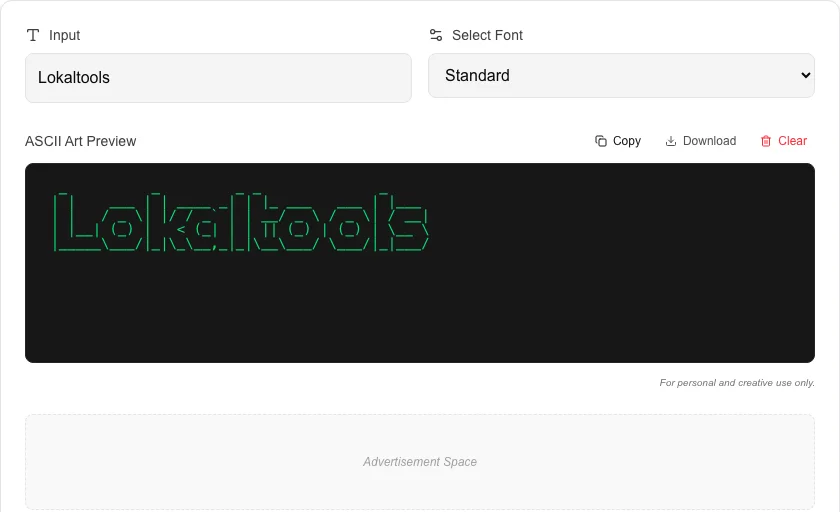
ASCII Art Generator
Convert text to creative ASCII art using various fonts.
About ASCII Art Generator
Create creative ASCII art banners and headings instantly. This tool uses the classic FIGlet logic to transform standard text into styled character-based art, perfect for README files, code comments, or terminal outputs.
How to Use
- Type your desired text into the input field.
- Select a font style from the available options to change the art's look.
- Click 'Generate Art' to render the text in the preview area.
- Copy the resulting ASCII art and paste it into your project or terminal.
Common Use Cases
- Adding decorative banners to GitHub README or documentation files.
- Creating unique terminal startup messages or script headers.
- Standardizing comments in large codebases for better visual navigation.
Technical Details
Powered by Figlet.js, this tool maps text characters to pre-defined ASCII layouts locally in your browser.
Frequently Asked Questions
- Will the art look the same everywhere?
- ASCII art depends on monospaced (fixed-width) fonts. It looks best in code editors, terminals, and markdown files.
- Can I use custom fonts?
- We provide a curated list of most popular FIGlet fonts; custom font uploads are not supported at this time.
- What is ASCII art?
- ASCII art is visual artwork created using printable characters from the ASCII character set. Text-based ASCII art (like banner text) uses characters like #, |, and / to form large stylised letters. It originated when computer displays could only render plain text.
- What are Figlet fonts?
- Figlet is a program that converts text to large ASCII art letters using font files (.flf). Each font defines how to draw each character using ASCII characters. Popular fonts include 'Big', 'Banner', 'Block', and 'Slant'.
- Where can I use ASCII art text?
- ASCII art is widely used in terminal applications, README files on GitHub, code comment headers, Discord and Slack messages, retro-style game intros, and social media bios where monospace rendering is preserved.
- Does the ASCII art generator work on mobile phones?
- Yes, the ASCII Art Generator works in any modern mobile browser on iOS and Android. However, for best results view the output on a desktop or laptop, because monospace characters render at a consistent size in a computer terminal or text editor. On mobile screens the characters may appear very small or wrap unexpectedly depending on the font size. For sharing on social media or messaging apps, copying the art into a monospace-font app or wrapping it in a code block gives the best appearance.
Local processing
Our local file, text and chart tools process content on your device using JavaScript, browser APIs and, where needed, WebAssembly. Our usage events do not include filenames, file contents, input text, chart values, raw errors, emails or license references. Network lookup tools (such as DNS, WHOIS, IP and speed tests) contact external services for their stated purpose. Loading the website, fonts, libraries and models also makes network requests. WebAssembly itself does not prevent network access.