
Silence Remover
Automatically detect and remove silent parts from your recordings.
About Silence Remover
Clean up your recordings instantly by removing awkward silences. Our intelligent silence remover scans your audio for periods of quiet and crops them out, resulting in a tighter, more professional-sounding track for podcasts and meetings.
How to Use
- Upload the audio file you want to edit.
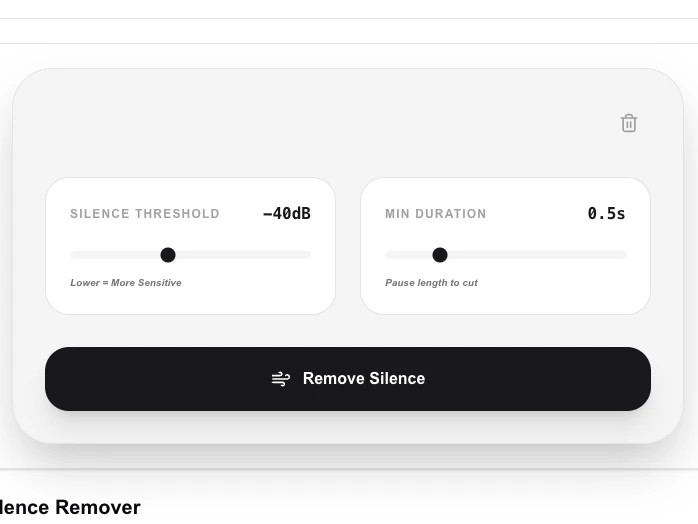
- Set the 'Silence Threshold' (how quiet is considered silence) and 'Min Duration'.
- Click 'Remove Silence' to let our algorithm analyze and clean the track.
- Preview and download your shortened, silence-free recording.
Common Use Cases
- Tightening up podcast recordings and interviews for a faster pace.
- Removing dead air from recorded lectures or long meeting notes.
- Cleaning up voice memos before sharing them with colleagues or friends.
Technical Details
Analyzes the audio waveform's RMS power to identify silent segments based on your thresholds, then uses FFmpeg's 'silencedetect' and 'silenceremove' filters locally.
Frequently Asked Questions
- Will it cut off my words?
- By adjusting the 'Silence Threshold', you can ensure that only true silence is removed while your speech remains fully intact.
- Can I remove silence from video?
- This tool is currently focused on audio files. For video, we recommend extracting the audio, cleaning it, and re-attaching it.
- What threshold does the tool use to detect silence?
- The tool uses an adjustable dB threshold (e.g. −40 dB by default) to define what counts as silence. You can raise the threshold to remove very quiet background noise or lower it to keep soft passages.
- Can I remove silence from a podcast or lecture recording?
- Yes, that is the most common use case. Upload the audio, adjust the silence threshold and minimum gap length to taste, and the tool will automatically cut all detected silent sections.
- Will removing silence change the timing of my speech?
- Yes — silence removal shortens the total duration by deleting gaps. Words and sentences are not altered, but the pauses between them are reduced or eliminated, which can speed up the perceived pace of speech.
- Can I use the Silence Remover to tighten up a podcast episode?
- Yes. The Silence Remover is well-suited for podcast editing — it can trim dead air between speakers, remove awkward pauses, and tighten the pacing of an interview. You set the silence threshold (how quiet counts as silence) and the minimum silence duration to remove (so brief natural pauses between words are kept). Processing runs via FFmpeg WebAssembly in your browser so no audio is uploaded. For a full podcast production workflow you will still want a DAW, but this tool handles the silence removal step quickly.
Local processing
Our local file, text and chart tools process content on your device using JavaScript, browser APIs and, where needed, WebAssembly. Our usage events do not include filenames, file contents, input text, chart values, raw errors, emails or license references. Network lookup tools (such as DNS, WHOIS, IP and speed tests) contact external services for their stated purpose. Loading the website, fonts, libraries and models also makes network requests. WebAssembly itself does not prevent network access.