
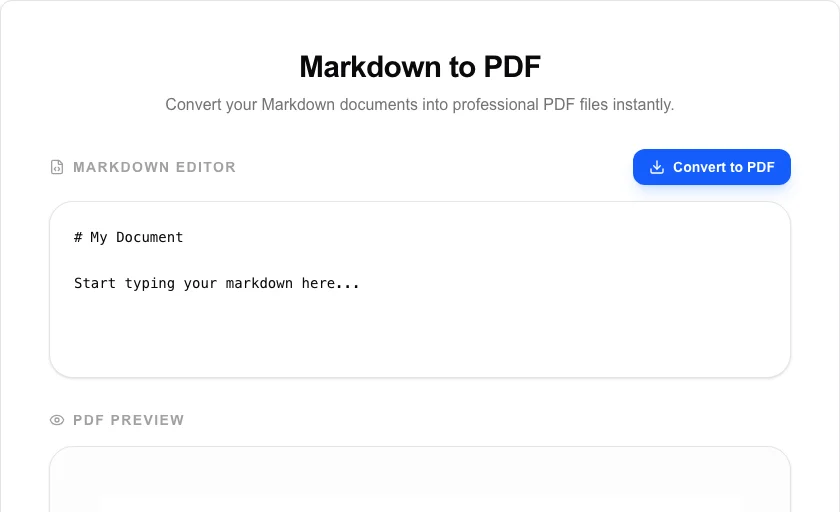
Markdown to PDF
Convert your Markdown documents into professional PDF files instantly.
About Markdown to PDF
Create clean, professional PDF documents from Markdown syntax. This tool is perfect for developers, writers, and students who want to turn their technical notes, blog drafts, or README files into beautifully formatted PDFs without leaving the browser.
How to Use
- Type or paste your Markdown text into the editor on the left.
- Watch the live 'PDF Preview' update as you make changes.
- Adjust the structure using standard Markdown headers, lists, and code blocks.
- Click 'Convert to PDF' to generate and download your final document.
Common Use Cases
- Turning project documentation (README.md) into shareable PDF manuals.
- Creating well-formatted invoices or letters using simple Markdown text.
- Exporting study notes or lecture drafts into a portable PDF format for offline reading.
Technical Details
Transforms Markdown into styled HTML elements, which are then rendered into a PDF canvas using browser print APIs or client-side PDF generation libraries. processed locally.
Frequently Asked Questions
- Are images supported?
- Yes, you can use standard Markdown image syntax with publicly accessible URLs to include images in your PDF.
- Can I use custom CSS?
- Currently, we use a professional, clean default style optimized for readability and formal document standards.
- What Markdown syntax is supported?
- The tool supports standard CommonMark syntax including headings (# to ######), bold, italic, ordered and unordered lists, inline code, fenced code blocks, blockquotes, and horizontal rules. HTML tags inside Markdown are not rendered.
- Can I control page size or margins in the output PDF?
- Currently the tool outputs A4 portrait pages with standard margins. Custom page sizes and margin controls are on the roadmap. For precise layout control, consider exporting to PDF from a desktop Markdown editor.
- Does the conversion happen on a server or in my browser?
- Everything runs locally in your browser using pdf-lib and a JavaScript Markdown parser. Your text is never transmitted to any server, making it safe for confidential documents and notes.
- Can I include a custom header or footer on every page of the PDF?
- The Markdown to PDF tool supports custom CSS injection, which means you can use @page rules with margin boxes to add repeating headers and footers. Include CSS like @page { @top-center { content: "My Document Title"; } @bottom-right { content: counter(page); } } in the CSS panel to add page numbers and headings. This approach works with the browser's print rendering engine and is supported in Chrome-based browsers. A live preview helps you confirm the layout before downloading the final PDF.
Local processing
Our local file, text and chart tools process content on your device using JavaScript, browser APIs and, where needed, WebAssembly. Our usage events do not include filenames, file contents, input text, chart values, raw errors, emails or license references. Network lookup tools (such as DNS, WHOIS, IP and speed tests) contact external services for their stated purpose. Loading the website, fonts, libraries and models also makes network requests. WebAssembly itself does not prevent network access.