
Internet Speed Test
Test your internet download speed instantly in your browser.
About Internet Speed Test
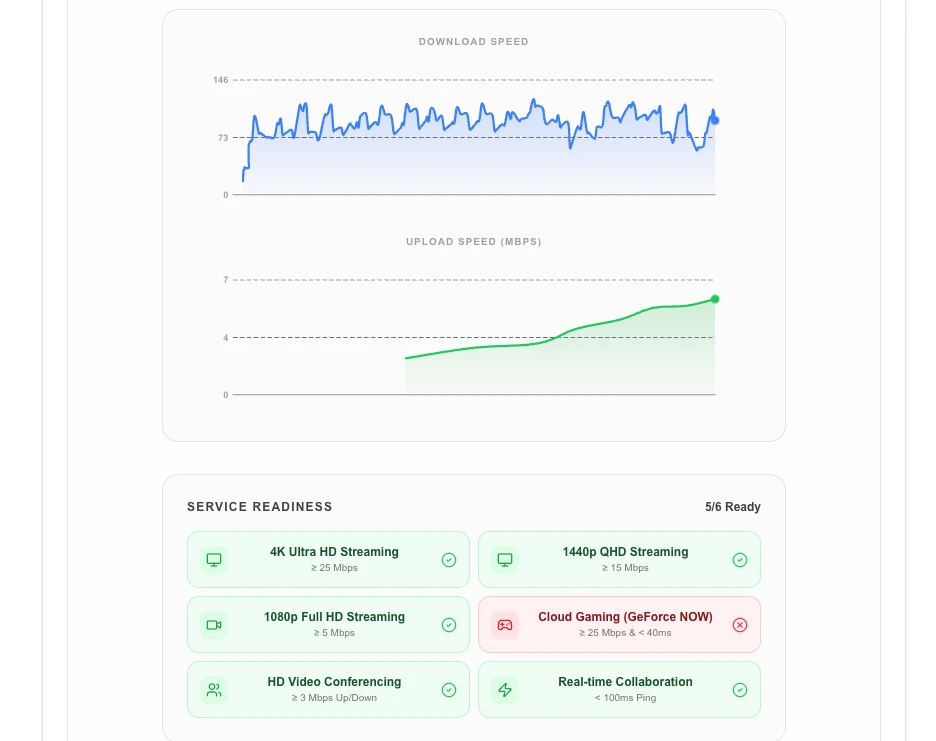
Measure your web connection's download performance with our lightweight, private speed test. We use temporary network chunks to calculate your real-world megabits per second (Mbps) without requiring any heavy plugins or personal data.
How to Use
- Ensure no other heavy downloads are running on your network for the most accurate result.
- Click 'Start Speed Test' to begin the measurement.
- Watch the live progress as the tool calculates your connection speed.
- Review your final 'Download Speed' in Mbps once the test is complete.
Common Use Cases
- Troubleshooting slow internet connections or Wi-Fi dead zones.
- Verifying that your ISP is delivering the speeds you are paying for.
- Checking if your connection is fast enough for streaming 4K video or online gaming.
Technical Details
Uses high-precision fetch timing and multi-concurrent stream analysis to determine the maximum sustainable throughput of your current network path.
Frequently Asked Questions
- What is a 'good' speed?
- For basic browsing, 10 Mbps is sufficient. For 4K streaming or multiple users, 50-100+ Mbps is recommended.
- Why do results vary?
- Internet speeds can fluctuate based on network congestion, the distance to the server, and whether you are using a wired or wireless connection.
- How does the speed test work without installing software?
- The tool uses browser Fetch and XMLHttpRequest APIs to download and upload test payloads to a nearby server, then calculates speed from the transfer time and file size.
- What affects my speed test results?
- Results can vary based on other active downloads, Wi-Fi interference, VPN usage, distance to the test server, and how many devices share your connection at the time.
- Is my IP address or any personal data collected during the test?
- No personal data is stored. The test only transfers neutral payload data to measure speed; no identifying information is logged by Lokaltools.
- Why is my speed test result lower than my subscribed plan?
- Speed test results often differ from plan speeds for several reasons: Wi-Fi interference, distance from the router, router hardware limitations, your device's network card, and other devices using bandwidth simultaneously. ISPs also provision shared bandwidth, so speeds can dip during peak hours. To get accurate results, connect via an Ethernet cable, close other applications, and run the test several times at different hours. The maximum speed shown is your connection's current burst speed, not a guaranteed sustained rate.
Local processing
Our local file, text and chart tools process content on your device using JavaScript, browser APIs and, where needed, WebAssembly. Our usage events do not include filenames, file contents, input text, chart values, raw errors, emails or license references. Network lookup tools (such as DNS, WHOIS, IP and speed tests) contact external services for their stated purpose. Loading the website, fonts, libraries and models also makes network requests. WebAssembly itself does not prevent network access.