
JS/CSS Minifier
Minify your JavaScript and CSS code for better performance.
About JS/CSS Minifier
Compress your JavaScript and CSS files to reduce load times and improve web performance. Our minifier removes unnecessary whitespace, comments, and line breaks while preserving functionality, helping your pages load faster and reducing bandwidth usage.
How to Use
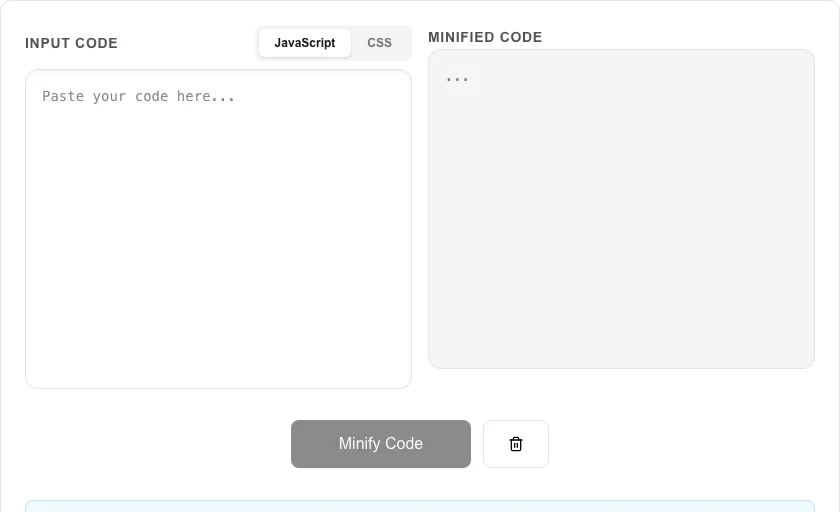
- Paste your raw JavaScript or CSS code into the input area.
- Select the correct mode ('JavaScript' or 'CSS') using the toggle.
- Click 'Minify Code' to generate the condensed version.
- Copy the minified output or use 'Download Minified File' for your production environment.
Common Use Cases
- Preparing code for production deployment to minimize asset sizes.
- Reducing the footprint of third-party libraries or custom scripts.
- Optimizing CSS files for faster rendering and improved SEO and Core Web Vitals.
Technical Details
Uses the SWC (Speedy Web Compiler) WASM-based engine for high-speed, reliable minification. 100% local processing ensures your source code remains private.
Frequently Asked Questions
- What is minification?
- Minification is the process of removing all unnecessary characters from code without changing its functionality, making it as small as possible.
- Is minified code readable?
- Generally, no. Minification is intended for machine execution. You should always keep your unminified source code for development.
- How does minifying JavaScript improve website performance?
- Minification removes whitespace, comments, and shortens variable names without changing how the code runs. This reduces file size — often by 30–60% — which means faster downloads, lower bandwidth costs, and quicker page loads, especially on mobile connections.
- What is the difference between minification and uglification?
- Minification removes unnecessary whitespace and comments. Uglification (or mangling) goes further by renaming variables and functions to shorter names (e.g., myLongVariable becomes a). This tool does both — using the SWC engine it produces output that is both whitespace-stripped and mangled for maximum compression.
- Can I minify CSS that uses modern features like custom properties and nesting?
- Yes. The CSS minifier handles modern syntax including CSS custom properties (variables), calc(), nested selectors, and at-rules like @media and @keyframes. It collapses redundant values, removes comments, and merges duplicate rules where safe to do so.
- Does JavaScript minification break async/await or modern ES2020+ syntax?
- The minifier uses Terser under the hood, which fully supports modern JavaScript including async/await, optional chaining (?.), nullish coalescing (??), arrow functions, destructuring, and ES2020+ features. If you are targeting very old browsers (IE11), you should transpile with Babel before minifying. For CSS, the tool uses clean-css which handles CSS custom properties (variables), nesting, calc(), and media query syntax correctly. Always test minified output in your target browsers before deploying to production.
Local processing
Our local file, text and chart tools process content on your device using JavaScript, browser APIs and, where needed, WebAssembly. Our usage events do not include filenames, file contents, input text, chart values, raw errors, emails or license references. Network lookup tools (such as DNS, WHOIS, IP and speed tests) contact external services for their stated purpose. Loading the website, fonts, libraries and models also makes network requests. WebAssembly itself does not prevent network access.