
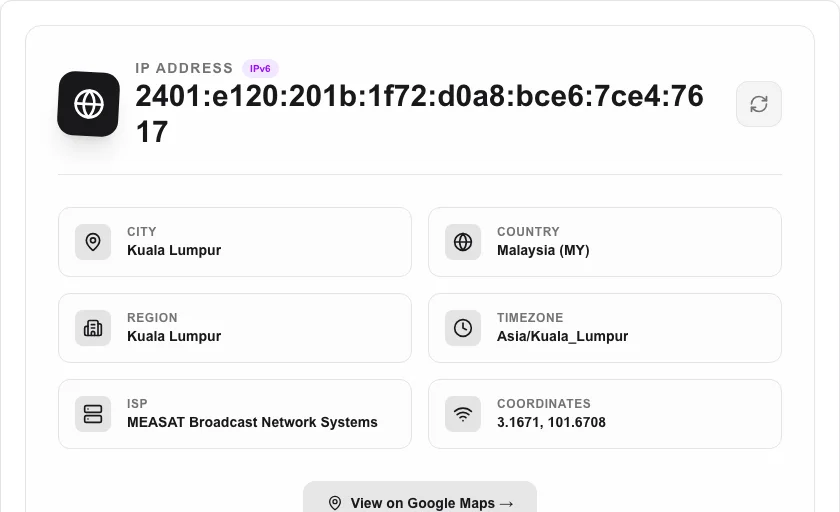
IP Address Location
Find your public IP address and its geographical location.
About IP Address Location
Instantly find your public IP address and its estimated geographical location. Useful for troubleshooting network issues, verifying VPN connectivity, or identifying your internet service provider (ISP) details at a glance.
How to Use
- Simply open the tool to let it automatically fetch your current public IP info.
- Review the City, Country, and ISP information displayed on the dashboard.
- If your connection changes (e.g., after turning on a VPN), click 'Refresh Data' to update the location.
- Use the timezone info to coordinate with teams across different regions.
Common Use Cases
- Verifying that your VPN is working and correctly masking your true location.
- Diagnosing network issues by checking your public IP and ISP routing.
- Double-checking your current dynamic IP address for remote access or server configuration.
Technical Details
Interfaces with secure, high-reliability IP geolocation APIs to retrieve public record data associated with your current network gateway.
Frequently Asked Questions
- Is this my exact house address?
- No. Geolocation only identifies the general city or region associated with your ISP's routing center, not your specific physical residence.
- Why is my location wrong?
- Your IP may be registered to a different regional hub, or you could be using a VPN, proxy, or corporate network that tunnels your traffic.
- How accurate is the IP geolocation?
- IP geolocation typically resolves to city or region level with good accuracy for ISP and country, but it is not precise enough to pinpoint a street address and can be off by tens of kilometers.
- Can I look up my own IP address?
- Yes. Leave the input blank (or click the 'My IP' button if available) and the tool will detect and display the geolocation data for your current public IP.
- Does this work for IPv6 addresses?
- Yes. The tool supports both IPv4 and IPv6 address lookups and returns the same geolocation and ISP details for both formats.
- Can I look up the location of any IP address, or just mine?
- You can look up any IPv4 or IPv6 address — just type it into the input field. This is useful for security analysis (identifying where traffic originates), checking server locations, or verifying that a VPN exit node is in the expected country. The geolocation data comes from a public MaxMind GeoLite2 database and is accurate to the city level in most cases, though precision varies by ISP and region. The tool does not store looked-up IP addresses or query history.
Local processing
Our local file, text and chart tools process content on your device using JavaScript, browser APIs and, where needed, WebAssembly. Our usage events do not include filenames, file contents, input text, chart values, raw errors, emails or license references. Network lookup tools (such as DNS, WHOIS, IP and speed tests) contact external services for their stated purpose. Loading the website, fonts, libraries and models also makes network requests. WebAssembly itself does not prevent network access.