
Bulk Image Resizer
Resize multiple images at once to specific dimensions or percentages.
About Bulk Image Resizer
Save time by resizing dozens of images simultaneously. Our bulk image resizer allows you to scale images by exact dimensions or specific percentages, maintaining crystal-clear quality without any server uploads.
How to Use
- Drag and drop multiple image files into the upload area.
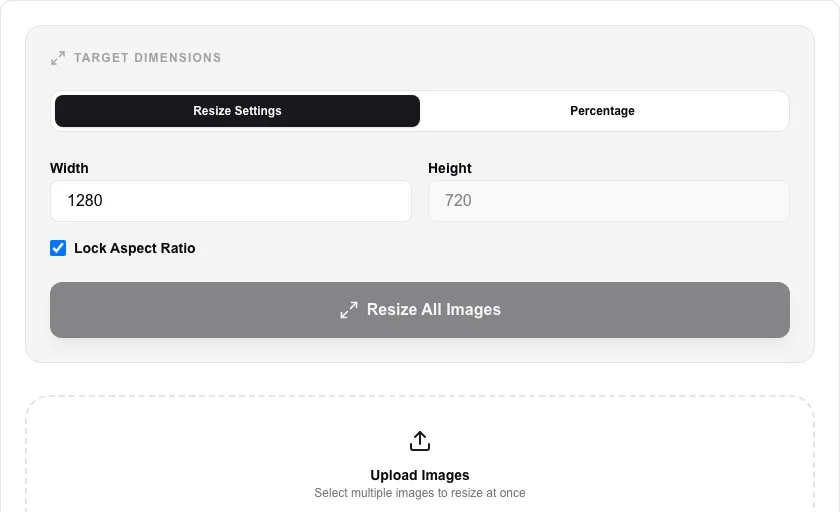
- Choose between 'Percentage' scaling or setting specific 'Target Dimensions'.
- Toggle 'Lock Aspect Ratio' to prevent stretching or distortion.
- Click 'Resize All Images' and download the processed files as a convenient ZIP archive.
Common Use Cases
- Batch processing product photos for e-commerce websites and catalogs.
- Optimizing large folders of images for faster email sharing or cloud storage.
- Standardizing photo sizes for blog galleries and social media profiles.
Technical Details
Leverages the browser's native resizing algorithms with optional bicubic interpolation for high-quality downscaling. Processes multiple files in parallel using Web Workers.
Frequently Asked Questions
- Is there a limit on the number of images?
- There is no hard limit, but your browser's memory is the main factor. We recommend batches of 20-50 for the best performance.
- Does it support PNG transparency?
- Yes, transparent backgrounds in PNG and WebP files are fully preserved during the resizing process.
- Does bulk resizing upload my images to a server?
- No. All images are resized locally in your browser using the Canvas API. No files are ever uploaded — all processing happens on your device with complete privacy.
- How many images can I resize at once?
- There is no hard limit set by the tool. Practical limits depend on your device memory. Batches of 50–200 typical photos work well on most modern devices; very large batches of high-resolution images may be slower.
- Can I resize by percentage instead of exact pixel dimensions?
- Yes. You can choose to resize by a percentage of each image's original size (e.g. 50% to halve all dimensions) or by exact pixel width and height. Aspect ratio lock is also available to prevent distortion.
- What image formats can the Bulk Image Resizer output?
- The Bulk Image Resizer outputs JPEG, PNG, and WebP. JPEG is best for photographs where small file size matters. PNG preserves transparency and is lossless, making it ideal for logos and graphics. WebP offers the best compression-to-quality ratio for modern browsers and is recommended for web use. You choose the output format once and it is applied to all images in the batch. Processing runs entirely in your browser using the Canvas API, so no images are uploaded to any server.
Local processing
Our local file, text and chart tools process content on your device using JavaScript, browser APIs and, where needed, WebAssembly. Our usage events do not include filenames, file contents, input text, chart values, raw errors, emails or license references. Network lookup tools (such as DNS, WHOIS, IP and speed tests) contact external services for their stated purpose. Loading the website, fonts, libraries and models also makes network requests. WebAssembly itself does not prevent network access.