
Round Corner Image
Add smooth rounded corners to your images.
About Round Corner Image
Softened the edges of your images with ease. Our round corner tool allows you to apply a consistent border radius to any photograph or graphic, giving it a modern, polished look suitable for website UI elements or social media posts.
How to Use
- Choose the image you want to modify.
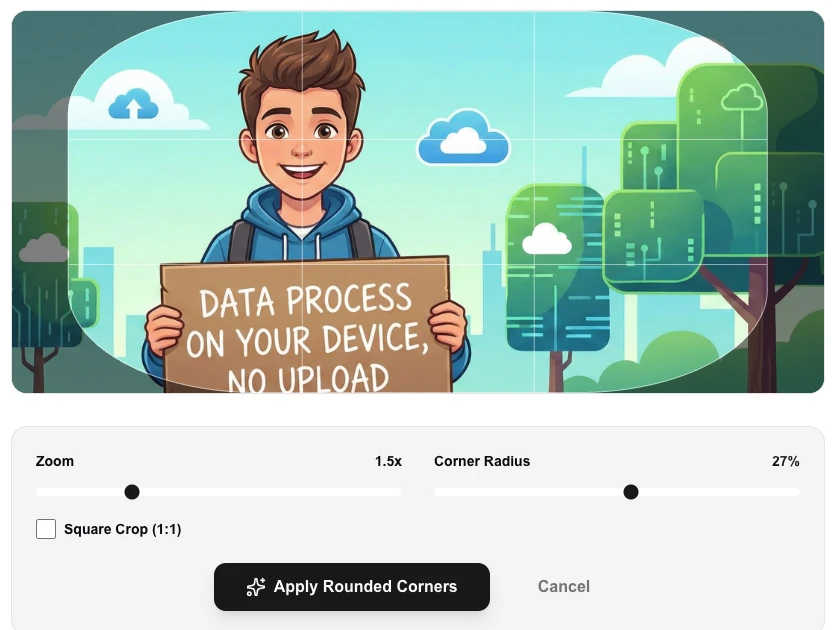
- Adjust the 'Corner Radius' slider to your desired level of roundness.
- Preview the result in the workspace area.
- Click 'Apply Rounded Corners' and download the updated image as a transparent PNG.
Common Use Cases
- Smoothing the edges of screenshots or app previews for presentations.
- Creating card-like UI components from standard rectangular photos.
- Styling social media graphics with a consistent modern aesthetic.
Technical Details
Applies a clipping path to the canvas before rendering the image to ensure the corners are perfectly smooth and transparent.
Frequently Asked Questions
- Is the original image modified?
- No, we process a copy in your browser and provide a new file for download.
- Does it support transparency?
- Yes, we export the result as a PNG to ensure the rounded corners remain transparent when placed over other backgrounds.
- Does my image get sent to a server to add rounded corners?
- No. The rounded corner effect is applied using the Canvas API directly in your browser. Your image never leaves your device — no upload, no server, complete privacy.
- What file format does the output use and does it have a transparent background?
- The output is a PNG file with a transparent background in the corner areas. This makes it perfect for placing on any colored background without a visible white box.
- How do I get a completely circular image using this tool?
- Set the corner radius to 50% (or the maximum value). This creates a fully circular image — equivalent to cropping to a circle, but with more control over the exact roundness.
- Can I apply different corner radii to each corner individually?
- The Round Corner Image tool currently applies a uniform border-radius to all four corners simultaneously. You set one radius value (in pixels or as a percentage of the shorter image dimension) and all corners are rounded equally. This produces the standard "rounded rectangle" look used for profile pictures, app icons, and UI thumbnails. For asymmetric corner radii (e.g. only top corners rounded), you would need a more advanced image editor like Photoshop, Figma, or GIMP where you can control each corner independently.
Local processing
Our local file, text and chart tools process content on your device using JavaScript, browser APIs and, where needed, WebAssembly. Our usage events do not include filenames, file contents, input text, chart values, raw errors, emails or license references. Network lookup tools (such as DNS, WHOIS, IP and speed tests) contact external services for their stated purpose. Loading the website, fonts, libraries and models also makes network requests. WebAssembly itself does not prevent network access.