
Exif Data Viewer
View detailed metadata and EXIF tags from your images.
About Exif Data Viewer
Discover the hidden 'story' behind every photo. Our EXIF Data Viewer extracts technical metadata including camera settings, timestamp, and GPS coordinates directly from your image files without uploading them to the web.
How to Use
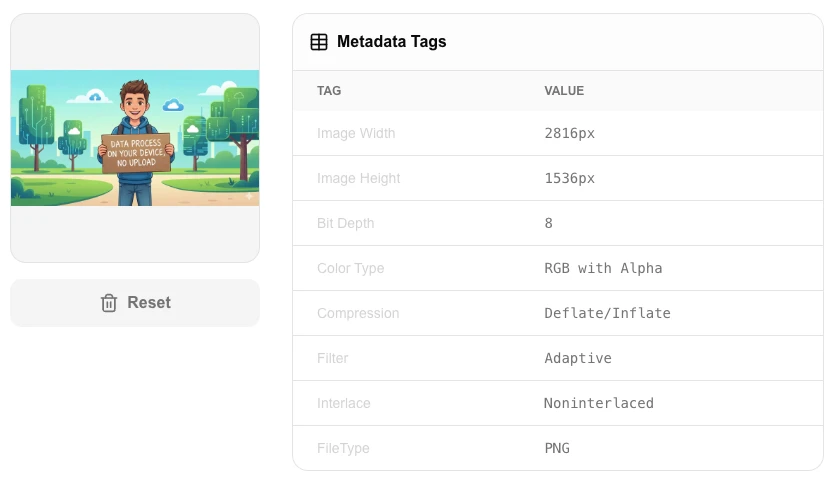
- Upload a photo to see a table of all available metadata tags.
- Review 'Metadata Tags' for camera model, exposure settings, and date taken.
- Check 'GPS Information' to see exactly where the photo was captured.
- Use the 'View on Maps' link (if available) to see the location in Google Maps.
Common Use Cases
- Photography students checking exposure settings (ISO, Aperture) of their shots.
- Detecting if a photo contains sensitive location data before sharing it online.
- Verifying the authentic capture date and time of an image.
Technical Details
Uses high-efficiency binary parsing to read EXIF, IPTC, and XMP metadata blocks directly from JPG and TIFF headers. Runs 100% client-side.
Frequently Asked Questions
- Why can't I see GPS data?
- Not all photos contain GPS data. It depends on whether the camera or phone had location servicios enabled at the time of capture.
- Are my photos private?
- Yes. Metadata extraction happens entirely on your computer. Your photo is never sent to our servers.
- Is my photo uploaded to read its EXIF data?
- No. EXIF data is read directly from your file in the browser using JavaScript. Your photo never leaves your device — no upload, no server, complete privacy.
- What kind of information can I find in EXIF data?
- EXIF data can include camera make and model, lens details, shutter speed, aperture, ISO, date and time the photo was taken, GPS coordinates (latitude and longitude), software used to edit it, and copyright information.
- Do all image formats contain EXIF data?
- No. EXIF data is most commonly found in JPG and TIFF files from digital cameras and smartphones. PNG and WebP files can sometimes contain metadata, but it's not standardized. HEIC photos from iPhones also carry EXIF data.
- Can I view EXIF data from RAW camera files?
- The EXIF Viewer reads metadata from JPEG, PNG, WEBP, TIFF, and HEIC files directly in your browser using the exifr library. RAW formats such as CR2, NEF, ARW, and DNG are not fully supported — while some browsers can read a subset of EXIF tags from RAW files, the tool may show incomplete or no data for those formats. For comprehensive RAW metadata viewing, dedicated tools like ExifTool (command-line) or Adobe Bridge provide more complete support for proprietary camera formats.
Local processing
Our local file, text and chart tools process content on your device using JavaScript, browser APIs and, where needed, WebAssembly. Our usage events do not include filenames, file contents, input text, chart values, raw errors, emails or license references. Network lookup tools (such as DNS, WHOIS, IP and speed tests) contact external services for their stated purpose. Loading the website, fonts, libraries and models also makes network requests. WebAssembly itself does not prevent network access.
What EXIF Data Is (And What Your Photos Are Secretly Sharing)
Every time you snap a photo with your smartphone, the image file silently records far more than the picture itself. Embedded in the file is a hidden layer of structured data — EXIF metadata — that can expose your precise GPS coordinates, the exact time you pressed the shutter, the make and model of your device, and even the lens settings used. Most people have no idea this data exists, let alone that it travels with their photos wherever those images go.
You can view this data instantly with the LokalTools EXIF Data Viewer — no upload, no account, no data leaving your device. Just drag your photo in and see everything the file is carrying.
What Is EXIF Data?
EXIF stands for Exchangeable Image File Format, a standard defined by JEITA (the Japan Electronics and Information Technology Industries Association) for storing metadata within image files. It was first introduced in 1995 and is now embedded in virtually every JPEG, TIFF, and HEIC photo taken by a digital camera or smartphone.
The EXIF standard defines over 200 possible tags, though most photos contain between 30 and 80 of them. Think of EXIF as a structured receipt attached to every photo, listing everything that happened at the moment of capture.
What Information Does EXIF Store?
EXIF tags fall into several categories:
Camera and Device Information
- Make and Model — e.g., "Apple iPhone 15 Pro" or "Canon EOS R5"
- Software — the firmware or OS version used
- Lens model — for interchangeable-lens cameras
Capture Settings
- Aperture (F-stop) — how wide the lens was open
- Shutter speed — e.g., 1/250s
- ISO sensitivity — the sensor's light amplification level
- Focal length — actual and 35mm-equivalent
- Flash status — whether flash fired, and in which mode
- Exposure mode — automatic, manual, aperture priority, etc.
- White balance — auto or specific colour temperature
Time and Date
- DateTimeOriginal — the exact timestamp when the shutter fired
- DateTimeDigitized — when the image was processed or converted
Location Data (GPS Tags)
This is the most privacy-sensitive category:
- GPSLatitude / GPSLongitude — precise decimal coordinates
- GPSAltitude — elevation above sea level
- GPSTimestamp — UTC time of the capture
- GPSImgDirection — the compass bearing the camera was pointing
A photo tagged with GPS coordinates can pinpoint your home address, your workplace, or any location you'd rather keep private — to within a few metres.
Image Dimensions and Colour
- PixelXDimension / PixelYDimension — image resolution
- ColorSpace — sRGB, Adobe RGB, etc.
- Orientation — how the camera was held (affects rotation)
Why EXIF Data Is a Privacy Risk
Consider what happens when you post a photo to a public forum, a dating app, or a news story. If GPS tags are embedded:
- Journalists and bloggers posting images of events can inadvertently reveal their exact location
- Domestic abuse survivors posting photos while in hiding can expose their safe house address
- Parents sharing children's photos can leak where their family lives or what school their children attend
- Activists and whistleblowers can be tracked through photos taken on their devices
In 2012, US Army soldiers were prosecuted after GPS metadata in photos they posted online revealed the location of their deployed helicopters. The risk is real and well-documented.
How to Read EXIF Data in Your Browser
The LokalTools EXIF Data Viewer runs entirely in your browser using JavaScript-based EXIF parsing. Here is the workflow:
- Open the tool
- Drag and drop any JPEG, HEIC, or TIFF file onto the viewer
- The tool instantly displays all embedded tags, organised by category (Camera, Date/Time, GPS, Image, Settings)
- GPS coordinates, if present, are shown as decimal and DMS (degrees/minutes/seconds), with an option to copy them
Because all parsing happens locally — no server receives the file — you can safely inspect photos containing sensitive location data without worrying about that data being captured by a third party.
Comparing EXIF Viewers: Local vs Cloud
Most online EXIF viewers upload your photo to a server, parse it there, and return the results. For casual use this is fine, but for any photo that might contain GPS data or other sensitive context, this approach means your metadata — including your precise location at capture time — is transmitted to a company you may not know or trust.
A local EXIF viewer has no such risk. The file is read by your browser's JavaScript engine and never leaves your device. This is especially important when viewing EXIF on photos taken in private settings — medical offices, legal consultations, private residences.
What Platforms Strip EXIF and Which Don't
Understanding how major platforms handle EXIF is useful context:
| Platform | GPS Stripped? | EXIF Stripped? |
|---|---|---|
| Twitter / X | Yes | Yes |
| Yes | Yes | |
| Yes (GPS) | Partially | |
| Yes | Yes | |
| Telegram | No (original quality) | No |
| iMessage | No | No |
| Email attachments | No | No |
| Direct file sharing | No | No |
The critical insight: any time you share a file directly — via AirDrop, WeTransfer, email, or a link — EXIF is fully preserved. Only certain consumer social platforms strip it automatically.
Reading EXIF for Non-Privacy Purposes
EXIF is not only a security concern. Photographers actively use it for legitimate, valuable purposes:
- Forensic authenticity — confirming when and where an image was taken for legal or journalistic verification
- Post-processing workflow — understanding which lens or setting produced a particular look to replicate it
- Stock photography compliance — agencies require accurate creation dates and camera information
- Insurance claims — timestamped GPS data can prove when and where an incident occurred
- Real estate listing verification — agents can confirm property photos are current and on-site
For these use cases, reading EXIF clearly and quickly is essential. An in-browser viewer lets you inspect files immediately without needing Adobe Bridge, ExifTool, or any installed software.
Understanding the Orientation Tag
One frequently misunderstood EXIF tag is Orientation, a value from 1–8 that describes how the camera was held when the shot was taken. When this tag is correct, photo viewers rotate the image automatically. When it is wrong — often after editing or format conversion — photos display sideways or upside-down.
If you have ever opened a photo in one app and seen it correctly oriented, then emailed it and had the recipient see it rotated 90 degrees, the culprit is almost certainly the Orientation tag being preserved or lost inconsistently. Reading the raw EXIF value helps diagnose this.
Common EXIF Questions
Can EXIF be faked? Yes. EXIF data is not cryptographically signed in most consumer cameras, so it can be edited. Professional forensic tools use additional analysis — pixel-level statistics, compression artifacts, file structure — to assess authenticity beyond EXIF alone.
Do screenshots contain EXIF? Generally no. Screenshots created by your operating system are typically bare image data with minimal or no EXIF. They will not contain GPS coordinates or camera settings.
Does WebP or PNG have EXIF? PNG uses a different metadata system (tEXt chunks), and EXIF embedding is optional. WebP supports EXIF but many tools strip it during conversion. JPEG and HEIC are the formats most reliably rich in EXIF data.
What about video? Video uses different metadata containers (QuickTime atoms for .mov, MP4 boxes for .mp4). GPS metadata in video is common on smartphones but requires different tooling to extract.
Putting It Together
EXIF data is a double-edged feature. For photographers it is a professional asset — a transparent record of every capture. For anyone sharing images casually, it is a hidden liability that can reveal far more than intended.
The first step toward managing this metadata is being able to read it. Once you can see exactly what a file is carrying, you can make an informed decision about whether to share it as-is, strip the sensitive tags, or use a different sharing method.
Start with the LokalTools EXIF Data Viewer — inspect any photo in seconds, entirely in your browser, with no file upload required. Then if you need to remove EXIF before sharing, pair it with the EXIF Remover tool to strip all metadata cleanly.
Your photos are saying more than you think. Now you can hear what they're saying.