
SVG to PNG Converter
Convert vector SVG files into raster PNG images.
About SVG to PNG Converter
Convert your scalable vector graphics (SVG) into high-quality raster PNG images. Whether you need an icon for a platform that doesn't support SVG or a flattened version of your design for easy sharing, our converter provides clean, transparent results.
How to Use
- Upload your .svg file into the converter.
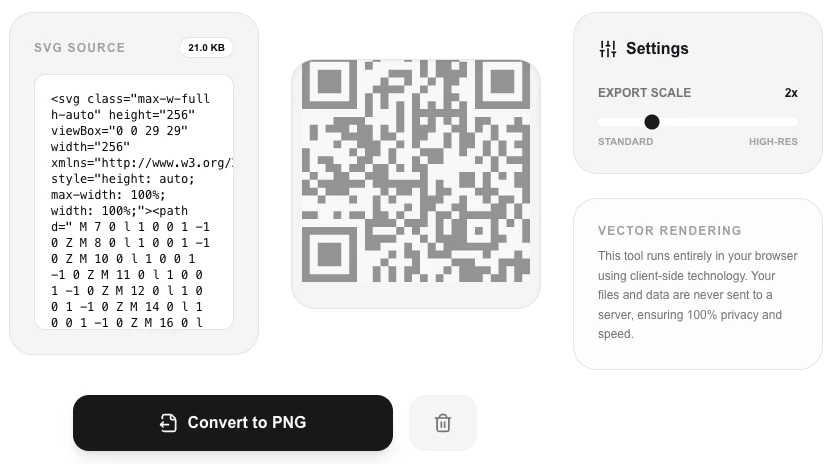
- The tool will render a preview of your vector graphic.
- Click 'Convert to PNG' to rasterize the image at high quality.
- Download your finished PNG file instantly.
Common Use Cases
- Preparing vector logos for use in Microsoft Office or other legacy software.
- Converting complex SVG illustrations into PNGs for social media posts.
- Flattening vector data to prevent rendering issues across different browsers.
Technical Details
Renders the SVG data to an offscreen canvas element and then exports the canvas buffer as a PNG image, maintaining original proportions.
Frequently Asked Questions
- Will it lose quality?
- Since SVGs are vectors, we can render them at high quality. However, once converted to PNG, the image becomes a fixed grid of pixels.
- Can I set the target resolution?
- Currently, the tool renders based on the intrinsic dimensions defined within the SVG file itself.
- Is my SVG file uploaded to a server to convert it?
- No. The conversion happens entirely in your browser by rendering the SVG onto an HTML Canvas. Your file never leaves your device — it's fully private and offline-capable.
- Can I set a custom resolution or DPI for the output PNG?
- Yes. You can specify the exact pixel dimensions for the exported PNG. Since SVG is a vector format, you can export at any resolution — from small icons to large print-ready images — without any quality loss.
- Why would I convert an SVG to PNG instead of using the SVG directly?
- PNG is more universally compatible — some platforms, apps, and document editors don't support SVG. PNG is also required when you need a fixed-resolution image for print, social media, or use in tools that don't accept vectors.
- Can I convert an SVG with embedded fonts to PNG without font substitution?
- Yes, with a caveat. If the SVG references system or Google fonts by name, the browser will render those fonts during conversion using whatever fonts are installed on your device. This means the output looks correct on your machine. However, if the SVG is opened on a machine that lacks those fonts, the conversion result may differ. To guarantee consistent font rendering across all devices, embed the font as a base64-encoded @font-face in the SVG file before converting, or convert the text to outlined paths in your vector editor first.
Local processing
Our local file, text and chart tools process content on your device using JavaScript, browser APIs and, where needed, WebAssembly. Our usage events do not include filenames, file contents, input text, chart values, raw errors, emails or license references. Network lookup tools (such as DNS, WHOIS, IP and speed tests) contact external services for their stated purpose. Loading the website, fonts, libraries and models also makes network requests. WebAssembly itself does not prevent network access.