
Color Picker from Image
Extract colors and hex codes from any image.
About Color Picker from Image
Extract exact color codes from any photograph or design. Whether you're building a brand palette or matching a UI element to an image, our color picker provides precise HEX, RGB, and HSL values with a single click.
How to Use
- Upload the image you want to sample from.
- Hover or click anywhere on the image to see a live preview of the pixel color.
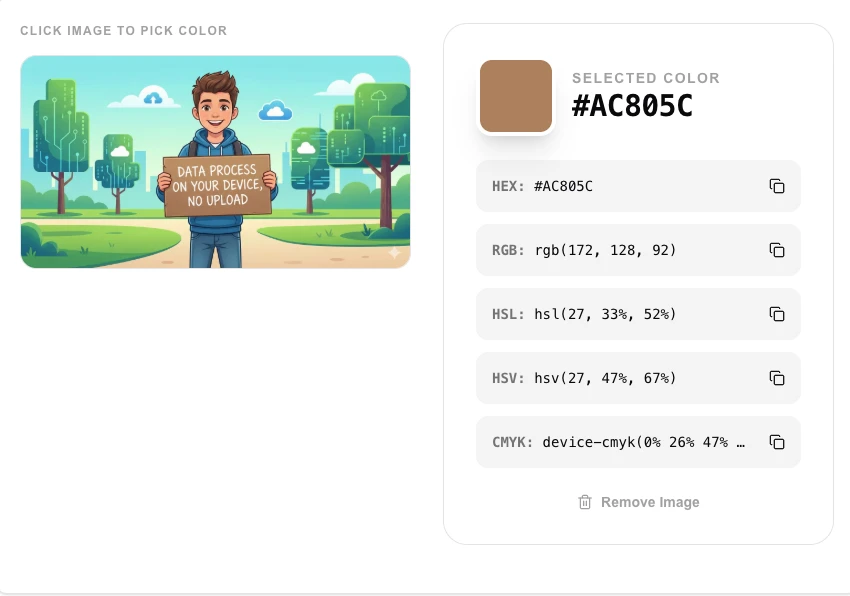
- The 'Selected Color' area will instantly display the HEX and RGB codes.
- Copy the code to your clipboard for use in your CSS or design software.
Common Use Cases
- Matching website theme colors to a brand logo or hero image.
- Identifying specific color shades in inspiration photos for graphic design.
- Analyzing color palettes of competing designs or nature photography.
Technical Details
Uses the EyeDropper API where available, or reads the pixel data from an internal canvas element based on mouse coordinates.
Frequently Asked Questions
- Can it pick colors from outside the browser?
- If your browser supports the EyeDropper API, you can often pick colors from anywhere on your screen.
- Are the colors accurate?
- Yes, we read the raw color data directly from the image pixels as rendered by your browser.
- Is my image uploaded to a server to pick colors?
- No. The tool reads pixel data directly from your image using the Canvas API in your browser. Nothing is sent to any server — your image stays on your device.
- What color formats does this tool output?
- The color picker displays the selected color in HEX (e.g. #FF5733), RGB (e.g. rgb(255, 87, 51)), and HSL formats simultaneously so you can copy whichever you need.
- Can I pick multiple colors from the same image?
- Yes. You can click multiple pixels across your image to build a palette of picked colors. Each click adds a new color swatch you can reference or copy.
- Can I copy the color code directly to my clipboard?
- Yes. After clicking a pixel on the image to sample its color, the tool displays the color in HEX, RGB, and HSL formats. A copy button next to each value lets you copy it directly to your clipboard with one click. The sampled color swatch is also displayed so you can visually confirm the selection. This workflow is useful for brand color extraction, matching colors from a photo reference, or building a palette from a design mockup — all processed entirely in your browser.
Local processing
Our local file, text and chart tools process content on your device using JavaScript, browser APIs and, where needed, WebAssembly. Our usage events do not include filenames, file contents, input text, chart values, raw errors, emails or license references. Network lookup tools (such as DNS, WHOIS, IP and speed tests) contact external services for their stated purpose. Loading the website, fonts, libraries and models also makes network requests. WebAssembly itself does not prevent network access.