
SVG Optimizer
Optimize and reduce the size of your SVG files.
About SVG Optimizer
Shrink your SVG files without sacrificing quality. Our optimizer removes redundant metadata, invisible elements, and overly precise coordinates, resulting in smaller, faster-loading vector graphics for your web projects.
How to Use
- Upload the SVG file you wish to optimize.
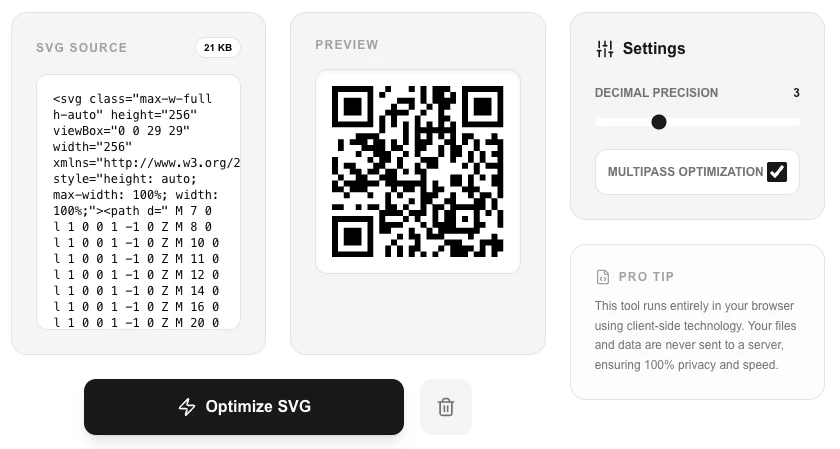
- Adjust the 'Decimal Precision' if you need extra-small files.
- Enable 'Multipass' for deeper optimization passes.
- Review the 'Savings' and download your streamlined SVG.
Common Use Cases
- Reducing the size of website icons and logos to improve page load speed.
- Cleaning up SVG files exported from design tools like Illustrator or Figma.
- Minifying complex vector illustrations for efficient embedding in HTML or CSS.
Technical Details
Uses the SVGO library to apply a series of clean-up passes, including merging paths, removing empty tags, and rounding coordinate values.
Frequently Asked Questions
- What is Multipass?
- Multipass repeats the optimization steps to find further ways to consolidate code that only becomes visible after the first pass.
- Will it break my design?
- Standard optimization is safe, but reducing decimal precision too far can sometimes subtly shift the appearance of complex curves.
- Does the optimizer send my SVG to a server?
- No. SVG optimization runs entirely in your browser using SVGO compiled to JavaScript. Your SVG file is never uploaded — it's processed locally with no network request.
- What does SVG optimization actually remove?
- The optimizer removes editor metadata, comments, hidden elements, default attribute values, and redundant whitespace. It also simplifies path data and merges redundant style rules — all without changing how the SVG looks.
- Is it safe to optimize SVGs that contain animations or interactivity?
- Enable 'multipass' mode for maximum savings, but use caution with interactive or animated SVGs — some optimizations can remove attributes that animations rely on. Preview the result before using it in production.
- Does SVG optimization affect SEO or accessibility attributes like aria-label?
- By default the SVG Optimizer preserves accessibility attributes including aria-label, aria-labelledby, aria-hidden, role, and title elements, as these are important for screen readers and SEO. The "remove metadata" option removes description and title elements — use this only for purely decorative SVGs. SVGO, the optimization engine used, applies a configurable set of plugins; you can inspect and toggle each optimization pass individually to ensure no accessibility attributes are inadvertently removed from your SVG files.
Local processing
Our local file, text and chart tools process content on your device using JavaScript, browser APIs and, where needed, WebAssembly. Our usage events do not include filenames, file contents, input text, chart values, raw errors, emails or license references. Network lookup tools (such as DNS, WHOIS, IP and speed tests) contact external services for their stated purpose. Loading the website, fonts, libraries and models also makes network requests. WebAssembly itself does not prevent network access.