
Image Splitter (Grid)
Split images into grids for social media or prints.
About Image Splitter (Grid)
Split your large images into precise grids for Instagram, social media, or creative print projects. Our splitter allows you to define the number of rows and columns and automatically handles the cutting process to create perfectly aligned image pieces.
How to Use
- Upload the image you want to divide into a grid.
- Set the number of 'Columns' and 'Rows' for your split.
- Optional: Add a 'Gap' in pixels if you want spacing between the generated pieces.
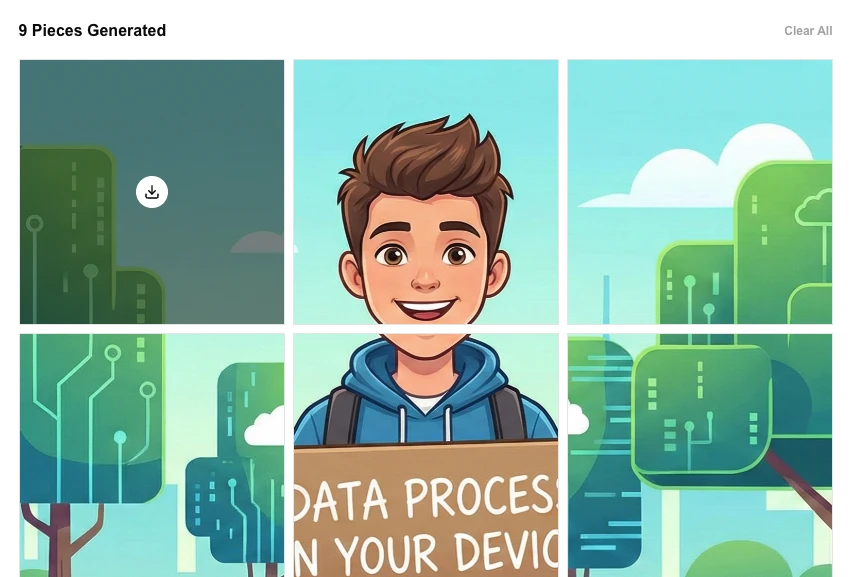
- Click 'Split Image' and download each generated piece instantly.
Common Use Cases
- Creating 3x3 or 3x1 grid layouts for Instagram profile pages.
- Slicing large design layouts into manageable sections for web development.
- Preparing multi-panel posters or canvas prints from a single photograph.
Technical Details
Uses high-precision coordinate calculations and canvas-based cropping to isolate each grid segment. 100% in-browser processing ensure your high-res originals remain private.
Frequently Asked Questions
- Can I split unevenly?
- Currently, the tool creates a uniform grid based on the rows and columns you specify.
- What is the Gap setting?
- The Gap adds transparent pixels between your split pieces, which can be useful for certain design styles or print margins.
- Does the tool upload my image to split it?
- No. The splitting is done entirely in your browser using the Canvas API. Your image is never uploaded to any server — it's sliced locally on your device.
- What are common uses for splitting an image into a grid?
- Common uses include creating Instagram carousel grid posts, splitting large maps or infographics into tiles, making puzzle pieces, and preparing sprite sheets for game development.
- Are the output tiles numbered or labeled so I know the order?
- Yes. Each tile is exported with a filename indicating its row and column position (e.g., tile_1_2.png), so you can easily reassemble them in the correct order.
- What is the maximum image resolution the Image Splitter can handle?
- The Image Splitter processes images entirely in your browser using the Canvas API, so the practical limit depends on your device's memory. Images up to 4000×4000 pixels split quickly on most desktops and modern laptops. Very large images (8000×8000 pixels and above) may be slow or cause the browser tab to run out of memory. If you need to split very high-resolution images such as large-format scans or print-ready artwork, consider a desktop tool like GIMP or Photoshop for more reliable performance.
Local processing
Our local file, text and chart tools process content on your device using JavaScript, browser APIs and, where needed, WebAssembly. Our usage events do not include filenames, file contents, input text, chart values, raw errors, emails or license references. Network lookup tools (such as DNS, WHOIS, IP and speed tests) contact external services for their stated purpose. Loading the website, fonts, libraries and models also makes network requests. WebAssembly itself does not prevent network access.
How to Split an Image Into a Grid — For Instagram, Printing, or Design
The LokalTools Image Splitter divides any PNG or JPG image into an equal grid of tiles — 2×2, 3×3, or a custom column-and-row count — entirely in your browser using WebAssembly. No image is ever uploaded; all tiles are packaged into a ZIP file and download instantly.
Why Splitting Images Is Harder Than It Looks
Instagram's carousel feature lets you post a panoramic photo split into multiple slides that stitch together on your profile grid. Designers use grid slices to print large-format wall art across multiple sheets, create jigsaw-style social posts, and slice mockups for multi-display installations. Getting pixel-perfect tiles with no gap or overlap requires exact arithmetic that most basic image editors apply clumsily.
Online grid splitters typically demand a server upload and a wait while a backend processes your file. For private photos, client photos, or confidential design assets, that workflow is unacceptable.
How Does an Image Splitter Work Locally?
The LokalTools Image Splitter runs entirely in your browser. When you choose a 3×3 grid on a 3000×3000 pixel image, the WebAssembly engine:
- Decodes the image into a raw pixel buffer — no file uploads is made
- Calculates exact tile dimensions by integer division (3000 ÷ 3 = 1000 pixels per tile)
- Crops each tile to a precise pixel rectangle using the calculated boundaries
- Names each file with its grid coordinates —
tile_1_1.png,tile_2_3.png, and so on - Packs all tiles into a ZIP file and offers it for direct download
For source images whose dimensions are not evenly divisible by the grid size, the tool trims a minimal number of pixels from the right and bottom edges to keep all tiles equal — no tile is a different size.
Step-by-Step: Split Your Image
- Open the tool — navigate to LokalTools Image Splitter
- Upload your image — drag and drop a PNG or JPG file
- Choose your grid — select a preset (2×2, 3×3, 4×4) or enter a custom row and column count
- Preview the grid — confirm the overlay lines fall where you expect
- Download — click Split & Download to receive all tiles in a ZIP archive immediately
Tips for best results:
- Use a square image for symmetric Instagram grid posts — a 3×3 split produces nine equal squares
- For panoramic carousel slides, use a 1×3 or 1×4 grid (one row, three or four columns)
- Start with the highest resolution source you have — each tile gets smaller, so more pixels mean more detail
- Rename tiles in left-to-right order (01, 02, 03) before uploading to Instagram to control carousel sequence
Common Use Cases
Instagram panoramic carousel — Take a wide 3:1 landscape photo and split it into three equal portrait tiles. Post them as a carousel; they stitch seamlessly when viewers scroll horizontally.
Instagram profile grid mosaic — Create a large 3×3 image that, when posted nine photos in sequence, forms a cohesive visual mosaic across your profile page.
Large-format wall art printing — Split a high-resolution photo into a 2×2 or 3×3 grid and print each section on individual A4 or Letter sheets for a DIY poster.
Design mockup slicing — Slice a full-width web banner into equal panels for a multi-display showroom or tradeshow installation.
Puzzle and game content — Generate grid tiles for educational jigsaw puzzles, trivia image reveals, or social media engagement posts.
Frequently Asked Questions
What image formats does the Image Splitter support?
The LokalTools Image Splitter accepts PNG and JPG (JPEG) files. PNG is recommended for images with sharp edges, text overlays, or transparent areas, since PNG preserves hard boundaries without compression artefacts.
What grid sizes are available?
You can choose from preset grids (2×2, 3×3, 4×4) or enter a custom number of columns and rows. There is no upper limit, but very high tile counts on small source images produce very small tiles.
Is my image uploaded to a server?
No. The Image Splitter runs entirely in your browser using WebAssembly. Your image never leaves your device — important for client photos, personal images, and unreleased design work.
Do the tiles align perfectly with no gaps?
Yes. The tool uses integer pixel boundaries, so tiles butt up against each other with no gap or overlap. When the image dimensions are not perfectly divisible by the grid, the tool trims a minimal slice from the far right and bottom edges to keep all tiles equal.
How do I post split images in the correct order on Instagram?
Upload tiles from left to right across the top row, then left to right across the second row, and so on. On a profile grid, Instagram displays posts in reverse chronological order from right to left, so posting in left-to-right order produces the correct visual join when someone views your grid.
Is the Image Splitter free?
Yes, the LokalTools Image Splitter is completely free with no registration and no watermarks on the output tiles.
Split Any Image Into Perfect Tiles
No software to install, no account to create, no file to upload. Open the LokalTools Image Splitter, drop in your image, choose your grid, and download perfectly cut tiles in seconds.